
The Zone VI enlarging timer compensates for variations in light output. The enlarger head
contains a photocell. The purpose of the photocell is to “read” the light output to determine the compensation required. The reason for the Zone VI compensating timer’s existence was the large fluctuations of the cold light head.
This type of timer offers a benefit if your light source varies with voltage fluctuations maybe due appliances kicking in or off (feks.the refrigerator) or in neighborhood power fluctuations or age of the head.
Development film/print
You processed the film/print for, say X minutes in the developer the last time (5 minutes ago, or 3 weeks ago).
So of course this time … you expect the same results for the same processing.
After pouring your chemicals the temperature may fall in the winter or rise in the summer.
But as the temperature of your light (film or paper) rises or falls the print density is affected.
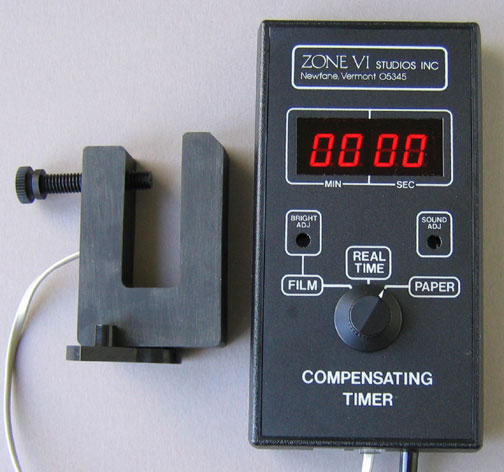
Zone VI Compensating Developing Timer
Z VI Compensating Developing Timer Manual
You exposed your favorite negative onto the paper for say, 30 seconds under the enlarger the last time (10 minutes ago, or 3 weeks ago or months, years).
So of course this time … you expect the same results for the same exposure.
(As a light source gets hotter it usually gets brighter)
But as the temperature of your enlarger light source rises or falls the print density is affected.
The compensating enlarging timer provides consistency using a cold light head that otherwise could never be achieved.
The timer actually does not alter the intensity, but it varies the exposure time to compensate for the light variation of the tubes. The problem is related to tempature variations of the tubes, but is rectified by measuring the light output and altering the exposure time.

Zone VI Compensating Enlarging Timer
The cold light enlarger head has a built in photo cell, it monitors the output of the cold-light head at all times, this type of light is not very stable and its output varies all the time
The compensating timer adjusts its timing based on the signal it receives from the photo-cell, this is done internally and it basically either lengthens or shortens each time click, this means that the actual time elapsed between each click is most of the time NOT what the click timing was set to, usually one second but user adjustable. It works.
This timer also gives you a Dry Down adjustment. It deals with the print darkening as it dries up. Since you would usually view your test prints wet, you set this knob to zero. Once you find the exposure time, you would then dial in, earlier established through testing, dry down. This also works quite well.